



5 Tips for Improving Wireless Audio Performance in Education
)
A stable and clear connection not only enhances the learning experience but also facilitates interaction between students and teachers. To maximize performance, it is essential to understand not only the technology but also best practices for implementation.
1. Assess the RF environment before installation
Wireless microphone systems operate within frequency bands that can be affected by interference from other devices—such as digital television, intercom systems, routers, cell phones, or Bluetooth devices… and, of course, other wireless microphones—found in educational settings.
- Before selecting channels or operating frequencies, perform a spectrum scan to identify areas with high interference or congestion.
- Some solutions, such as Relacart’s advanced series of True Diversity transmitters/receivers, simplify this process by offering spectrum analysis capabilities to automatically select noise-free frequencies.
“A great tool for performing these scans on the go within the UHF band, featuring a display built into the device, is Relacart’s U.Discover spectrum analyzer. This product also allows the results of the analysis to be exported to a computer, so that this information can be integrated with Relacart’s wireless microphone software, as well as with that of other manufacturers,” explains Luis Ignacio Arcos Jaramillo, Sales Manager at navits.
2. Choose the right wireless technology based on your needs
Not all educational apps require the same level of performance or coverage.
- For presentations or lectures in large classrooms, a system with True Diversity and multiple channels is ideal, as it reduces dead spots and improves stability.
- In auditoriums with multiple instructors and presenters, multi-channel wireless microphone systems or those with automatic frequency selection algorithms make it easier to use multiple transmitters simultaneously.
There are systems capable of supporting multiple microphones simultaneously with superior stability, making them ideal for internal conferences or classes with multiple speakers.
“Various criteria can be used to select the ideal series for the project, such as bandwidth or the type of transmission offered by the system. To help you make the best possible decision, Relacart’s exclusive distributor for Mexico, navits (Naturaleza Audiovisual, Tecnología y Servicios), offers relevant consulting services for this purpose at no cost as part of the project design,” explains Luis Ignacio.
3. Optimize the physical placement of antennas and receivers
The placement of antennas and receivers is just as important as the technology itself.
- Avoid placing antennas behind metal surfaces or inside enclosed furniture, as this can block signals.
- In large spaces or those divided by columns, consider antenna layouts that provide even coverage across all areas.
- Some systems include antenna distribution or combiners that improve reception in challenging environments, helping to ensure clear audio without dropouts.
“The placement of the antenna and its integration into the space without looking out of place will always be important. Relacart offers antennas in various designs and types, with the appropriate pickup patterns to ensure optimal performance of the wireless microphone system, without compromising the aesthetics of the space,” adds the executive.
4. Adjust settings and configurations to meet teaching needs
Incorrect gain or filter settings can degrade the listening experience and increase auditory fatigue.
- Adjust the input levels for each channel so that there is no clipping or noticeable background noise.
- Use high-pass filters when necessary to reduce vibrations or low-frequency noise that may affect performances.
- Check whether the wireless system supports automatic frequency scanning and IR synchronization, features that save time and reduce human error.
Luis Ignacio adds: “It will also be necessary to check the audio format to be received by the audiovisual system installed in the spaces, which may include an audio processor, a mixer, and so on. The receivers we work with feature analog audio outputs, digital outputs via the Dante protocol, and even USB-C ports for direct connection to a computer, if needed.”
5. Plan and perform regular maintenance
Wireless systems aren't "set it and forget it." To ensure consistent performance:
- Schedule regular interference checks, especially if new network or communications equipment is added to the facility.
- Update the firmware whenever the manufacturer recommends it, as updates may include RF optimizations or stability improvements.
- It trains end users on how to prevent blockages or misuse of transmitters and microphones.
As the brand's distributor, navits also serves as the region's Service Center , where customers can have any preventive or corrective maintenance needs for their systems addressed, as well as schedule training sessions on the proper installation, configuration, and operation of the products they distribute.
A well-implemented wireless microphone system does more than just amplify a teacher’s voice: it creates a more engaging, seamless, and modern teaching experience. Leveraging robust technologies alongside best practices for installation and maintenance is key to achieving stability, clarity, and flexibility in educational settings.
If you’re an integrator or technical manager at an educational institution and have specific questions about real-world scenarios or fine-tuning solutions for specific environments, you’ll have the perfect opportunity to speak with Navits and Relacart at their booth during InfoComm América Latina . Come visit them!
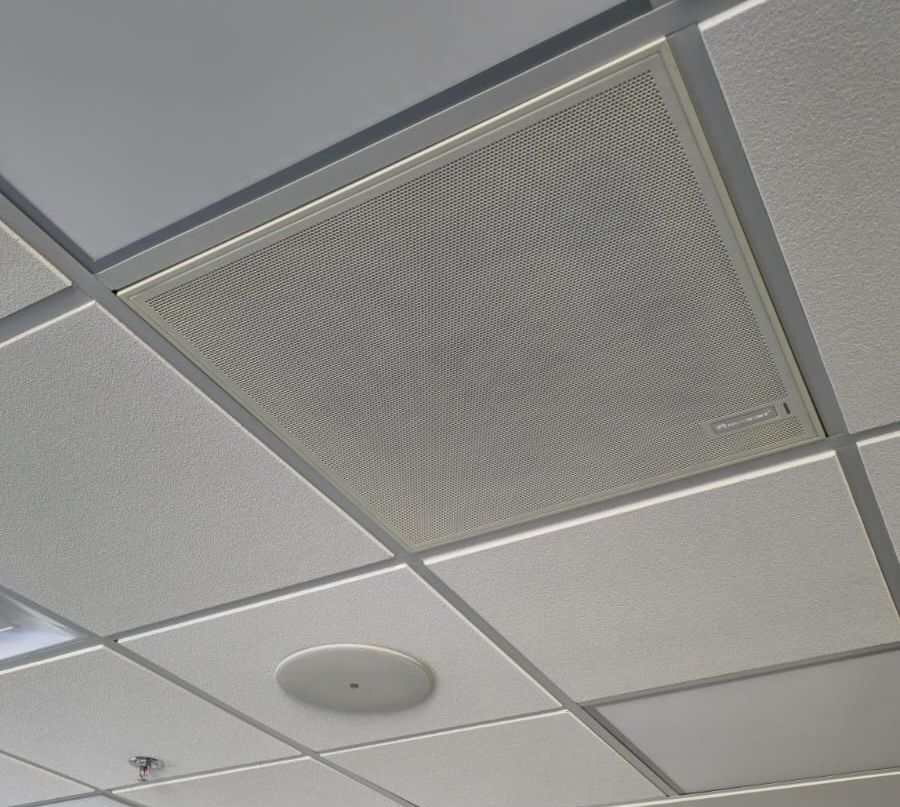
Installation photos at Empresalia Querétaro (ACM-582 ceiling-mounted microphones for training rooms) carried out by the integrator Ponle Audio.